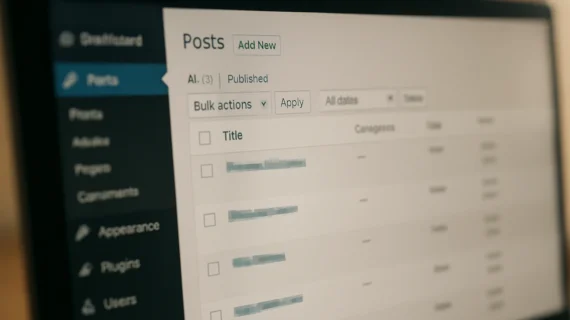
Why do WordPress drafts pile up instead of going live?
Drafts accumulate because writing and publishing are treated as one task when they are actually four or five. A solo owner who opens a draft to “finish it” typically finds new things to fix, adds them to the same session, and closes the tab without hitting Publish. The post is not worse than before, but it is not live either. The bottleneck is the missing handoff between “good enough to edit” and “assigned a live date.”
The three structural causes are consistent across solo operators:
- No defined publish step. Writing and shipping are lumped into a single open-ended task. When the session ends without a clear trigger to go live, the draft stays a draft.
- Perfectionism that resets on each reopening. Every time the file opens, the owner reads from the top, spots something imperfect, edits it, and runs out of time before reaching the Publish button. The post improves marginally and ships never.
- No single person owns the final click. Even on a solo site, if the implicit rule is “it ships when it feels ready,” then no one is accountable for a date.
None of this is a willpower problem. A solo owner doing research, writing, editing, image resizing, and formatting in sequence is running four distinct jobs with no handoff between them. Each reopening resets the cycle from the top.
What is the actual cost of a draft that never publishes?
The cost is not abstract. If a post took two hours to write and it never goes live, those two hours produced zero indexed pages, zero impressions, and zero inbound signal in Search Console. The investment is gone. The return is zero by definition.
A site with 30 drafts and 4 live posts is in a worse position than it looks on paper. The 30 drafts represent real writing time, often 40 to 60 hours of work, that is compounding nothing. Meanwhile, the 4 live posts are the only ones Google can reach. A live post indexed by Google can appear in search results, accumulate impressions, and generate clicks that become enquiries. Over a 28-day window in Search Console, a single indexed post on a topic with real search demand can produce hundreds of impressions and dozens of clicks. A draft in that same window produces exactly zero of either.
Google’s crawler cannot index a page it cannot reach. Google’s own documentation on how it crawls, indexes, and serves pages is clear: Googlebot fetches publicly accessible URLs. A WordPress draft is not publicly accessible. It returns a non-200 status or requires authentication. It does not exist to the crawler.
If you want to audit what has actually gone live versus what is sitting unreachable in draft, the first step is to check whether Google has indexed your blog posts using Search Console. The result is usually fewer indexed pages than expected, which makes the draft backlog problem more visible and more urgent.
Which part of the WordPress workflow is most likely causing the stall?
For most solo operators the stall is at the formatting stage, not the writing stage. Adding a featured image, compressing it, writing the meta description, assigning the category, and setting a canonical URL are five separate tasks that require switching context inside WordPress. Writers think in paragraphs; these tasks require a different mode. When both happen in the same session, the formatting tasks get deferred until a “quick five-minute job” that never arrives.
The five friction points in the standard solo publishing flow are:
- Research to outline. Usually completed or at least started. Rarely where posts die.
- Outline to draft. Gets done more often than not. The writing session has a clear endpoint.
- Draft to edited copy. First common stall point. Editing requires a different cognitive mode than drafting, and solo owners rarely schedule them separately.
- Edited copy to formatted WordPress post with images. Second and more common stall point. This is where posts disappear. Finding, sizing, and uploading a featured image alone can consume 20 to 30 minutes, which makes it the task that gets skipped when time is short.
- Formatted post to scheduled live date. Posts that reach this stage almost always publish. The problem is very few reach it.
The tasks owners skip outright are the meta description and canonical URL. The tasks they delay indefinitely are the featured image and formatting inside the block editor. Knowing exactly where in the sequence a draft stalls lets you target the fix instead of trying to overhaul the entire process.
Does having more content ideas make the draft backlog worse?
Yes, and the mechanism is straightforward. Each new idea feels like progress. Opening a fresh draft, typing a title, and jotting three bullet points takes five minutes and produces a small sense of momentum. That sensation is real, but it displaces the near-finished draft that is one image away from going live.
Ideation is easier than execution. When both happen inside WordPress drafts, the backlog grows because the easier task fills available time and the harder task stays incomplete. Owners optimize for the step that feels productive, which is almost always ideation rather than the formatting work that actually ships a post.
The fix is not to have fewer ideas. Ideas are an asset. The fix is a hard separation between two distinct queues:
- Idea list. Lives outside WordPress. A notes app, a spreadsheet, a Notion page. Anywhere that does not create a WordPress draft.
- Active publish pipeline. Maximum two posts in WordPress drafts at any time for a solo operator. If a third post is ready to draft, one of the two active drafts must publish first.
Keeping ideas out of WordPress drafts makes the backlog visible and finite. If you open WordPress and see two drafts, you know exactly where you are. If you see thirty, the backlog has already won.
How do operators who publish consistently actually handle the final steps?
Three approaches separate operators who ship from operators who accumulate drafts.
1. Batch formatting tasks into a single weekly slot. Writing and formatting require different cognitive modes. Trying to do both in one session means one of them gets dropped. Operators who publish consistently write in one slot and format in a separate dedicated slot, often the same day each week. This makes posting consistently when you have no team a system question rather than a motivation question. The batch slot has one job: take edited drafts and get them to a scheduled live date.
2. Set a minimum-viable publish standard. A post does not need to be perfect to earn a live date. A working standard for most WordPress sites: title, body text, one featured image, and a meta description. If a draft meets those four criteria, it publishes. Anything else is an improvement that can happen in a future update. Perfection is not a publish criterion; meeting the standard is.
3. Remove the human from the publish step entirely. The most reliable way to prevent draft accumulation is to not create drafts in the first place. A system that takes a keyword and produces a research outline, written article, generated images, WordPress formatting, and a scheduled publish date without the owner opening WordPress does not give procrastination a surface to attach to.
This is where Strategift’s AutoSEO fits into the workflow. It handles the sequence from keyword research to published article without you in the middle: keyword research, article writing, image generation, and scheduling to your WordPress site on a defined calendar. It does not produce drafts that require a human to finish. If you want to understand the full technical path, the detail is on the page covering how to automate content publishing to WordPress.
What AutoSEO does not do: it does not write copy that requires your proprietary data, it does not replace a writer working on content that only you can produce, and it does not manage paid traffic. The fit is unattended publishing of search-optimised articles for businesses whose buyers search Google before making contact.
Frequently asked questions about WordPress drafts that never get published
Is a WordPress draft visible to Google while it is still a draft?
No. WordPress drafts are not publicly accessible URLs. Google’s crawler cannot reach a page that requires a login or returns a non-200 status to unauthenticated requests. A draft produces zero impressions in Search Console, regardless of how well-written it is or how long it has been sitting there.
How many drafts is too many for a solo WordPress site owner?
There is no universal ceiling, but if you have more drafts than published posts in the last 90 days, the backlog is outpacing your publish rate. The practical rule for solo operators is to keep no more than two posts in active drafting at any time. Everything else should sit in an idea list, not in WordPress drafts, so it does not distract from the near-finished work.
Does scheduling a WordPress post in advance solve the draft problem?
Scheduling moves a finished post to a live date, but it does not help if the post never reaches a finished state. The draft problem is upstream of scheduling: the post stalls during editing or formatting before it is ever ready to schedule. Solving the stall requires fixing the workflow that gets a draft to ready, not adding more tools after that stage.
Can an editorial calendar fix a WordPress draft backlog?
An editorial calendar helps if the stall is caused by not knowing what to publish next. It does not help if the stall is caused by finishing and formatting tasks that keep getting deferred. Most solo operators already know what they want to write. The gap is between knowing and shipping, which is a workflow and execution problem, not a planning problem.
What is the fastest way to clear a WordPress draft backlog?
Set a minimum-viable publish standard for each draft: title, body text, one featured image, and a meta description. Run every draft through that checklist in a single dedicated session. Publish anything that passes. Delete or archive anything you have reopened three or more times without finishing. The goal is to convert the backlog into live pages that Google can index, not to eventually perfect each one.
The draft backlog is a structural problem, not a discipline problem. Writing, editing, formatting, and scheduling are four separate jobs. Treating them as one open-ended task is what creates the loop. Breaking the loop means either building a system that separates those jobs, or using a platform that removes the human from the loop on the work that does not require your judgment.