Most SEO content services stop at delivery. They hand you a document and the publishing step stays on your to-do list. A direct-publish service connects to your WordPress site and ships the post there, formatted and scheduled, without you touching a draft.
What Does ‘Publishes Directly to WordPress’ Actually Mean?
A direct-publish SEO content service connects to your WordPress site via its REST API and creates the post there, headings formatted, meta title and description written, images uploaded and alt-tagged, publication date scheduled, without you opening a draft. Most content services deliver a Google Doc. The difference is whether the article reaches your site or sits in someone’s shared drive waiting for you to do the last eight steps.
The WordPress REST API is a standard feature of every self-hosted WordPress installation. It allows external systems to create, update, and schedule posts the same way you would from inside the WordPress admin, but without requiring a browser session. No plugin is needed on your end to enable it. It is already there.
The steps that disappear when publishing is direct:
- Copying text from a document into the WordPress editor
- Re-applying heading formatting that broke in the paste
- Uploading the featured image and setting alt text
- Writing or pasting the meta title and description into an SEO plugin
- Choosing a publication date and hitting publish
That is the honest definition of the category. If those steps still land on you, the service is a drafting tool, not a publishing service.
How Does Strategift’s AutoSEO Service Handle the Full Pipeline?
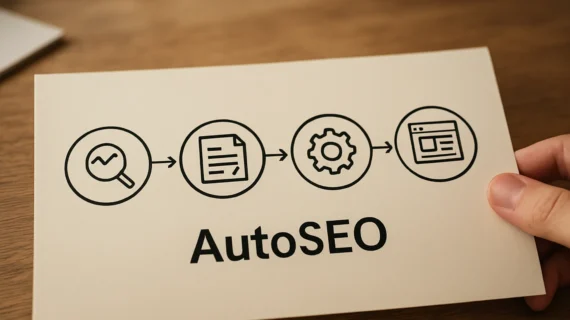
AutoSEO runs the following sequence without requiring the owner to intervene at any stage:
- Keyword research and selection. The platform identifies target keywords based on the site’s topic focus, search volume, and competition level. Keywords are selected for intent match, not just search volume.
- Article generation with on-page SEO baked in. The article is written with a structured H1, H2s, and internal linking built into the draft. Word count is set to match topic depth, not padded to hit an arbitrary number.
- Image generation and alt-text assignment. A featured image is generated and tagged with descriptive alt text relevant to the article topic.
- Meta title and description written. Both are written to the character limits Google displays, with the primary keyword placed appropriately.
- Post scheduled or published to the connected WordPress site. The article goes to your WordPress installation via API, formatted and ready. You receive a notification. You do not touch a draft unless you choose to.
Articles go out on a cadence, not as a batch. Publishing twelve posts on the same day gives Google nothing to crawl on a return visit the following week. Spreading publication across the month is a deliberate scheduling choice built into the platform.
AutoSEO is the channel open right now. Other channels are in development and open in sequence as each network approves the relevant integrations. What ships through AutoSEO is measured: Search Console tracks indexing status, average position, and 28-day impression trends for every post published through the platform.
For a closer look at how AutoSEO moves from keyword research to a published article, that page walks the full tool sequence.
Which WordPress Sites Does This Work With?
The service works with any self-hosted WordPress site reachable over HTTPS. Self-hosted means you control the hosting account, the files, and the database. The site does not need to be on a specific host.
Common hosts that work without configuration changes include SiteGround, Kinsta, WP Engine, and Cloudways. If your site loads at a domain you own and you log into WordPress via yoursite.com/wp-admin, it is almost certainly self-hosted.
What does not work:
- WordPress.com free and personal plans. These restrict REST API access in ways that block third-party publishing. If you pay WordPress.com for hosting rather than paying a separate host, check which plan you are on before connecting.
- Wix, Squarespace, and Webflow. These are not WordPress and do not use the WordPress REST API.
The one technical requirement is API credentials. WordPress generates an Application Password inside Settings and Users in under two minutes. No plugin install is required on the site side. The REST API is enabled by default on every standard WordPress installation.
Indonesian and Malay language sites work with the platform. The interface supports those languages and articles can be produced to target those markets.
For readers who want detail on the credential setup and connection process, the step-by-step mechanics of automating content publishing to WordPress covers the full technical setup.
What Does a Direct-Publish Service Cost Compared to the Manual Alternative?
The honest comparison starts with what manually producing a single SEO article actually costs.
A properly produced article requires: keyword research, a content brief, writing, editing, formatting in WordPress, image sourcing or creation, alt-text assignment, and meta field completion. Done by a competent freelancer, that sequence takes 3 to 5 hours of skilled time. At a freelancer rate of $35 per hour, one article costs $105 to $175 before any tool subscriptions, keyword tools, image tools, or grammar checks.
That rate assumes the freelancer is also competent at SEO, not just writing. A writer who understands heading structure, keyword placement, and meta fields commands more than a general content writer. If you are doing it yourself, the hourly cost is the value of your own time applied to a task that is not your core business.
The math shifts further when you account for the friction that delays manual production. The keyword research gets skipped. The meta description gets left blank. The image goes in without alt text. The article sits in drafts for two weeks because publishing it requires one more step that nobody has time to do.
A direct-publish service removes the friction, not just the hours. For current pricing for the Early Bootstrap Packages, that page shows what ships at each level. Pricing is not stated here because the packages page is current and this article is not.
The cost comparison favors a direct-publish service as soon as the owner values their own hours at anything above zero.
Does Publishing Automatically Mean Lower Quality or Thin Content?
Not by default, but the constraint is real: automated content does not conduct original interviews or replace a subject-matter expert for medical, legal, or financial topics. For manufacturer, exporter, and B2B service sites, the practical quality bar is whether the article matches the search intent, covers the topic at the right depth, and earns a click from someone who searched that phrase. AutoSEO targets that bar, not literary quality, not YMYL authority.
The quality controls built into the pipeline are:
- Keyword intent matching at the research stage. A keyword that signals a buying decision gets a different article structure than one that signals early-stage research. The platform distinguishes between them before a word is written.
- On-page SEO structure. H1, H2s, internal links, and word count targets are set per article based on topic, not applied uniformly.
- One article per keyword. The platform does not publish duplicate variations of the same target phrase across multiple posts, which is the fastest route to thin content penalties.
What AutoSEO does not do: it does not interview your production team, it does not write clinical assessments, and it does not produce legal analysis. For those categories, the service is not the right fit and that is stated plainly rather than buried in fine print.
Early articles from a new site will start at lower positions. That is not a quality failure, it is how Google evaluates new content. Position improves as the site earns indexing, crawl history, and relevance signals over time.
How Do You Know the Articles Are Actually Getting Indexed?
Most content services stop caring after delivery. Whether the article was indexed, whether Google ever crawled it, whether it ranks for anything, none of that is visible to the owner unless they check it themselves, which most do not.
Strategift monitors indexing through Search Console. For every post published through AutoSEO, the platform tracks:
- Indexing status per URL
- Average position in Search Console, reported over 28-day windows
- Impression and click trends
- Whether new posts are indexed within the expected window after publication
If a post is not indexed, that is the first problem to solve before adding more articles. Publishing into a site that Google is not indexing is a throughput problem, not a content volume problem. The reporting loop surfaces non-indexed posts before the next publishing cycle so the issue can be addressed rather than compounded.
No service can guarantee indexing. Google’s crawling and indexing decisions are made by Google. What Strategift does is make the status visible and flag it when the expected behavior does not happen.
For a detailed view of what the indexing monitoring loop looks like in practice, that page covers the measurement detail behind the reporting.
Who Is This Service Built For?
The service fits a specific operator profile. Knowing who it does not fit saves time on both sides.
Best fit: Owner of a small English-language WordPress site in a high-consideration category, manufacturer, exporter, B2B service business, who needs inbound enquiries from search. They have tried writing themselves or hiring a freelancer and found that the article either never gets written or never gets published. They know what a sitemap is. They do not want another tool that hands them a draft.
Secondary fit: A freelance SEO managing a small number of client sites who wants publication automated so the content actually ships rather than sitting in a shared folder.
Poor fit:
- News sites that need multiple articles published per day
- Medical, legal, or financial sites that require expert authorship for YMYL compliance
- Sites not on self-hosted WordPress
- Owners who want to review and approve every article before it publishes, the platform supports that, but the efficiency gain diminishes if every post becomes a manual approval queue
Frequently Asked Questions
Does Strategift’s service work with WordPress.com hosted sites?
No. WordPress.com free and personal plans restrict REST API access in ways that block third-party publishing. The service requires a self-hosted WordPress installation where you control the hosting account, reachable over HTTPS. Most shared hosts (SiteGround, Kinsta, WP Engine, Cloudways) work without any configuration change.
Will the automatically published posts be flagged as AI content by Google?
Google’s stated policy is that it evaluates content on helpfulness and quality, not on how it was produced. Google’s own documentation says helpful, people-first content is rewarded regardless of the production method. The risk with any automated content is thin or duplicated output, not the automation itself. AutoSEO targets one article per keyword with intent-matched depth, that is the quality control, not the production method.
How many articles per month does the service publish?
Publication cadence depends on the package selected. The Early Bootstrap Packages page shows current options. Articles go out on a schedule rather than in a batch, because a dozen posts published on the same day gives Google nothing to crawl on a return visit the following week. Spreading publication across the month is a deliberate scheduling choice, not a throughput limitation.
Can I edit an article after it has been published to my WordPress site?
Yes. Once the post is live on your WordPress site it is a standard WordPress post. You have full editorial control. You can edit the copy, change the featured image, update the meta description, or unpublish the post at any time through your own WordPress admin. Strategift does not lock or protect the content after delivery.
Does the service also handle the images, or just the text?
Images are part of the pipeline. AutoSEO generates a featured image, assigns alt text, and uploads it to the WordPress media library as part of the same publishing action. You do not need a separate image source or a manual upload step. The generated images are AI-produced illustrations, not stock photography and not original photography.
What happens if an article is published but Google never indexes it?
Strategift monitors indexing status through Search Console. If a post is not indexed within the expected window, that surfaces in the reporting dashboard before the next publishing cycle. The platform does not guarantee indexing, no service honestly can, but it does make non-indexing visible rather than leaving the owner to discover it months later by accident.
If the articles your site needs are sitting in a shared doc rather than live on Google, the publishing step is the problem, not the writing. AutoSEO handles the full pipeline from keyword to published post, and Search Console tells you whether it landed.