Why most WordPress SEO tools connect Search Console but do nothing with the data
Most WordPress SEO plugins pull impressions and average position into a dashboard widget. That is where the integration ends. The plugin does not use those numbers to decide which keyword to target next, which article to consolidate, or whether the site has an indexing problem that makes publishing more content pointless. Seeing data and acting on data are two different product decisions. A site sitting at average position 22 across forty posts needs a different response than a site with ten posts and an indexing gap, and a widget cannot tell the difference.
The practical result is that most owners open the widget, register that impressions went up or down, and close the tab. The next piece of content gets chosen the same way the last one did: instinct, a competitor’s title, or whatever keyword a writing tool suggested. The Search Console numbers sit unused.
This is not a criticism of any specific plugin. It reflects a product decision: displaying data is a different engineering commitment than building a response loop on top of it. A post sitting at average position 22 with 400 impressions and zero clicks is a recoverable asset. The impressions confirm Google is surfacing it. The position tells you it is not yet on page one. Zero clicks tells you the title or meta description is not winning the comparison on the results page. All three numbers together point to a specific action. A dashboard widget shows you the numbers. It does not take the action, queue it, or even name it.
What does a Search Console and Analytics connection actually unlock?
Connecting Search Console shows which pages Google has indexed, how many times they appeared in results, and where they ranked on average over the last 28 days. Adding Analytics shows whether those ranked pages produced real sessions and whether visitors stayed long enough to submit a contact form. Used together, the two data sources tell you which pages are almost ranking and worth consolidating, which are ranking but losing clicks because the title is wrong, and which are indexed but producing nothing measurable for the business.
The two layers answer different questions. Search Console operates at the Google boundary: what did the crawler find, what did it index, and what did searchers see. Analytics operates at the visitor boundary: what happened after the click.
The signal combinations that matter in practice are these:
- High impressions, low CTR, position 5-15: The page is visible. The title or meta description is not competitive. The fix is at the SERP layer, not the content layer.
- High CTR, high bounce, low pages per session: The article is winning the click but not matching what the searcher expected to find. The fix is content alignment, not promotion.
- Indexed, position 25, zero clicks, meaningful impressions: A consolidation or internal linking decision. The page is close but not there. Adding a supplementary article targeting a related query, or linking from a stronger page, often moves this more than a rewrite.
- Published but not indexed: No amount of content improvement helps until the indexing problem is resolved. This is the check that has to run before anything else.
Operators need to know what the data pair enables, not just that it is connected. The connection is infrastructure. The value is in what gets decided because of it.
How Strategift reads Search Console and Analytics to decide what to do next
After a site is connected, Strategift runs the indexed coverage check first. If the number of pages appearing in Search Console’s index report is materially lower than the number of published posts, that gap is flagged before any new content is commissioned. Publishing into an indexing problem produces no measurable return. The gap has to close first.
Once indexed coverage looks reasonable, the platform reads impressions and average position across the previous 28 days. The 28-day window is the platform’s own reporting cadence, chosen because it smooths the day-to-day volatility that distorts weekly snapshots without going so far back that seasonal shifts get averaged out. Within that window, the platform identifies keywords sitting in positions 11 to 30. These are not failures. They are pages that have established some relevance signal with Google and are sitting just below the threshold where clicks become consistent. They are the clearest candidates for a consolidation or a supplementary article targeting a closely related query.
Analytics data layers in at this point to confirm that the pages generating those impressions are also producing sessions with real engagement. A page at position 18 with 600 impressions but zero sessions in Analytics over 28 days is a different problem than a page at position 18 that is generating sessions with a 90-second average engagement time and two contact form views. The first might have a tracking issue or an indexing nuance. The second is genuinely close.
The output of this read is not a report the owner opens and interprets. It is a prioritized content queue. That queue is what AutoSEO uses to pick the next keyword. If you want to see exactly what happens after a keyword enters the queue, the full workflow is explained in how AutoSEO moves from keyword research to a published article.
What the integration does not do
Strategift does not rewrite existing articles automatically based on Search Console signals. The platform flags posts sitting in positions 11 to 30 with meaningful impressions, but the decision to rewrite, consolidate, or leave them alone stays with the owner. Automated rewrites without editorial review introduce more risk than they remove for most sites, and that feature does not exist yet.
The integration does not connect to Google Ads. Paid keyword data, cost-per-click figures, and campaign performance are outside the scope of what the Search Console and GA4 connection reads. If paid and organic are both running on the same site, they are reported separately and Strategift only sees the organic side.
Analytics reads sessions and goal completions at the page level within the 28-day window. It does not reconstruct individual user journeys, run multi-touch attribution modeling, or segment by traffic source beyond what GA4 surfaces at the page level. If those analyses are part of the reporting workflow, they need to run in GA4 directly.
If the WordPress site is not reachable over HTTPS, or the Search Console property has not been verified against the domain, the connection fails. The owner is told specifically which step failed rather than the system silently skipping it and showing empty data. For a fuller breakdown of what the platform covers and where it stops, see what the autopilot covers and what it skips.
Who this integration is built for
The integration is built for owners of self-hosted WordPress sites that need inbound enquiries from search. The clearest fit is manufacturers, exporters, and high-consideration service businesses whose buyers search Google before making contact. These sites typically have 10 to 80 published posts, inconsistent publishing history, and no one dedicated to reading Analytics weekly. The integration is designed so that the data loop runs without requiring that person.
The secondary audience is freelance SEOs managing a small number of client sites. If the reporting loop, the indexing check, and the position tracking are handled by the platform, the time that would have gone to pulling Search Console exports manually goes elsewhere. For anyone already handling this for clients, the workflow around sending clients automatic Search Console reports is relevant.
What disqualifies a site is straightforward. Wix, Squarespace, and WordPress.com-hosted sites are not supported because the direct-publish component requires WordPress REST API access, which those platforms restrict. The Search Console and Analytics reporting part could technically work in isolation, but the publish step, which is the core value, cannot. HTTPS is required. And the position-tracking signal becomes meaningful only once a site has roughly 10 published and indexed posts. Under that threshold the data is too thin to act on with any confidence.
How to connect your WordPress site and start the data loop
The connection process follows these steps:
- Register at AutoSEO and create your account.
- Verify your Search Console property. The standard methods are an HTML tag added to your site’s
<head>or a DNS TXT record added at your domain registrar. Google’s own documentation on Search Console verification covers both options. - Connect GA4 via the OAuth screen. Google’s documentation on linking GA4 properties applies if you need to confirm your property setup first.
- Add your WordPress site URL using the HTTPS version and confirm the site is reachable.
- Wait for the first data pull, which covers the previous 28 days.
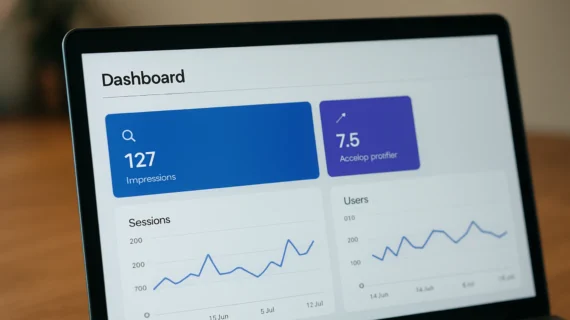
After the pull completes, the dashboard shows your indexed page count, your top 10 performing queries by impressions, and your average position distribution across all indexed pages. This is visible before any content plan is activated or any paid plan is running.
If the indexed page count is lower than the number of posts you have published, that gap is the first thing to address. The article on how to get Google to index new posts faster covers the practical steps, including the ones that work reliably at small site scale.
Connect your site and see your Search Console data in the dashboard
Frequently asked questions
Does Strategift work with any WordPress site or only sites built a specific way?
Strategift works with any self-hosted WordPress site reachable over HTTPS. The site does not need a specific theme, page builder, or plugin stack. Wix, Squarespace, and WordPress.com-hosted sites are not supported because the direct-publish component requires WordPress REST API access, which those platforms restrict.
What Search Console data does the integration actually read?
The integration reads impressions, clicks, average position, and click-through rate at the page and query level, using a 28-day rolling window. It also reads indexed status and crawl coverage to flag pages that are published but not appearing in Search Console’s index report.
Can I see the Search Console and Analytics data before committing to a paid plan?
Yes. After connecting your Search Console property and GA4 account during registration, the dashboard shows your indexed page count, top queries, and average position distribution from the previous 28 days before you activate a paid content plan.
Does the platform tell me which of my existing articles to improve, or only plan new ones?
The Search Console data surfaces articles sitting in positions 11 to 30 with meaningful impressions, which are the clearest candidates for consolidation or supplementary content rather than net-new articles. The platform flags these but does not automatically rewrite existing posts. That action stays with the owner.
What happens if my WordPress site has an indexing problem before I start publishing more content?
The indexed page check runs before any content is commissioned. If the number of pages indexed in Search Console is materially lower than the number of published posts, the platform surfaces that gap. Publishing more articles into an indexing problem produces no measurable return, so the gap is flagged first.