Does Google Actually Use Page Speed as a Ranking Signal?
Yes. Since June 2021, Google has used Core Web Vitals, three measurable speed signals, as a confirmed ranking factor under its Page Experience update. The effect is not large enough to override a much more relevant competitor page, but when two pages are roughly equal in content quality and backlinks, the faster one ranks above the slower one. For Indonesian business owners competing in crowded product categories, that tie-break matters.
Speed acts on rankings through two paths. The first is direct: Core Web Vitals are measured and fed into Google’s ranking algorithm as a confirmed signal. The second is indirect: a slow site raises bounce rate, meaning visitors leave before reading anything, and that behaviour signals to Google that the page did not satisfy the search.
What speed does not do is override content. Google’s own documentation is clear that content relevance still outweighs page experience signals. A highly relevant page on a slow server will usually beat a fast page with thin content. If you have heard conflicting advice on this, the honest answer is: speed is a real factor, it is just not the dominant one. Fix your content first, then remove the speed penalty.
What Are Core Web Vitals and Why Should an Indonesian Business Owner Care?
Core Web Vitals are three measurements Google uses to judge whether a page actually works for real visitors. Here is what each one means in business terms.
- LCP (Largest Contentful Paint): How long a buyer waits before they can see your main product image or headline. If your factory’s hero photo takes five seconds to appear, many buyers have already pressed back.
- INP (Interaction to Next Paint): How quickly your page responds when a visitor taps a button or a menu link. A slow response makes the site feel broken on a phone.
- CLS (Cumulative Layout Shift): Whether the page jumps around while loading. Text that shifts just as someone is about to tap a contact button causes misclicks and frustration.
These matter more in Indonesia than in many other markets because of how buyers actually browse. The majority of business buyers in Indonesia open supplier sites on a mobile connection, not fibre. A site that passes Core Web Vitals on a desktop test run from Jakarta may still score Poor when a buyer in Surabaya or Medan opens it on a 4G connection in the middle of the day.
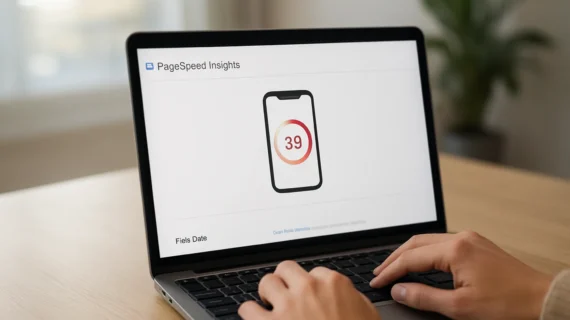
The free tool for checking this is PageSpeed Insights. No login required. Paste your URL, run the Mobile test, and you have your numbers in under a minute. The tool shows field data from real Chrome users where available, which is closer to what Google actually measures than a lab test run from a data centre.
What Load Speed Threshold Actually Separates Good from Poor in Google’s Data?
Google marks a page Good when its Largest Contentful Paint, the time until the main content is visible, is under 2.5 seconds. Between 2.5 and 4 seconds is Needs Improvement. Above 4 seconds is Poor, and Poor pages receive a negative ranking signal. You can check exactly which of your pages Google has flagged as Poor inside Google Search Console under Experience > Core Web Vitals at no cost.
The full set of thresholds as pass/fail gates:
| Metric | Good | Needs Improvement | Poor |
|---|---|---|---|
| LCP | Under 2.5 seconds | 2.5 to 4 seconds | Above 4 seconds |
| INP | Under 200ms | 200ms to 500ms | Above 500ms |
| CLS | Under 0.1 | 0.1 to 0.25 | Above 0.25 |
The Search Console Core Web Vitals report lists every URL on your site and labels each one Good, Needs Improvement, or Poor. You do not need any technical background to read it. If a URL shows Poor, that page is receiving a negative ranking signal right now. No interpretation needed.
How a Slow WordPress Site Loses Rankings in Practice
Google does not just run a lab test on your site once and move on. It collects real user data continuously through the Chrome User Experience Report, known as CrUX. Every time a Chrome user visits your page, their loading experience is recorded. That data is aggregated over a 28-day rolling window and used to classify each URL as Good, Needs Improvement, or Poor.
Here is a realistic scenario. A manufacturer in Bandung has a product page for industrial fans. The page content is accurate, the product photos are clear, and there are three genuine specifications a buyer would search for. But the page takes 7 seconds to load on mobile because the images were uploaded straight from a phone camera at full resolution. A competitor in Semarang has a nearly identical page, same content quality, similar backlink count, but their hosting is faster and their images are compressed. Their LCP is 2.8 seconds. All else equal, the Semarang page ranks above the Bandung page because Google’s real-user data puts the Bandung page in the Poor bucket.
“All else equal” is doing real work in that sentence. Speed does not override a page that is genuinely more relevant or more authoritative. It is a deciding factor when pages are closely matched.
It is also worth noting that slow pages sometimes have a second problem beyond rankings: they may not be getting properly crawled or indexed in the first place. If that possibility concerns you, check why your WordPress pages may not be indexed at all before spending time on speed fixes.
The Four WordPress-Specific Speed Killers That Show Up Most Often
Generic web performance advice covers dozens of potential issues. For WordPress business sites specifically, the same four problems appear repeatedly.
- Uncompressed images uploaded from a phone or camera. A single photo from a modern phone can be 4MB to 8MB. Uploading it directly to WordPress without compression is the most common reason for LCP above 4 seconds. Check your Media Library: if image file sizes are routinely above 500KB, this is likely your biggest problem.
- Shared hosting with a slow server response time (TTFB above 600ms). Time to First Byte is the delay before any data reaches the visitor’s browser. If your host’s server is overloaded or located outside Asia, every other optimisation you make is capped by this ceiling. Check TTFB in the PageSpeed Insights diagnostics section.
- No caching layer active. Many business owners install WordPress through a hosting panel, add a theme, and start publishing. Caching is never touched. Without caching, WordPress rebuilds every page from the database on every visit, which is slow. Check whether any caching plugin is listed as active in your WordPress plugins screen.
- Too many plugins loading scripts on every page. Each active plugin can add JavaScript and CSS files that load even on pages where the plugin does nothing. Twenty active plugins on a small business site is common and costly. Check your plugin count and ask whether each one is actually used.
How to Check Your Own WordPress Site Speed in Under Five Minutes
- Go to PageSpeed Insights, paste your homepage URL into the field, and run the test. When the results load, make sure you are reading the Mobile tab, not Desktop. Desktop scores are almost always higher and are not what Google indexes your site against.
- Read the overall score. 90 to 100 is Good. 50 to 89 means the site Needs Improvement but is not actively penalised. 0 to 49 is Poor and corresponds to a negative ranking signal. Most shared-hosted WordPress sites that have never been optimised score between 30 and 60 on Mobile.
- Open Google Search Console. Navigate to Experience in the left menu, then Core Web Vitals. The report shows how many URLs on your site are labelled Poor, Needs Improvement, or Good.
- If more than 20% of your indexed pages are labelled Poor, speed is likely suppressing your rankings right now. That is the threshold worth acting on.
This is a diagnostic step only. Do not make any changes yet based on PageSpeed alone. Read what the diagnostics section says is failing before deciding where to spend effort.
What to Do If Your Speed Score Is Poor and You Do Not Have a Technical Team
Three actions ranked by how much improvement they deliver relative to the effort required.
- Ask your hosting provider to move you to a plan with SSD storage and a server physically located in Singapore or Jakarta. Server location is one of the most overlooked factors for Indonesian sites. A server in Europe adds 150ms to 300ms of latency before a single byte reaches a visitor in Indonesia. Moving to a regional server alone can cut TTFB by 300 to 600ms, which often moves a site from Poor to Needs Improvement on LCP without touching any code.
- Install one caching plugin and activate it with default settings. There are several well-established options in the WordPress plugin directory. You do not need to configure anything beyond activation to get the basic benefit. After installing it, re-run your PageSpeed test to confirm whether TTFB and overall score improved.
- Compress images before uploading, or enable auto-compression if your WordPress setup supports it. Run existing images through a free browser-based compression tool. For new uploads, most modern WordPress setups can be configured to compress images automatically on upload. This addresses the most common cause of poor LCP scores.
These three steps cover the majority of speed problems on small business WordPress sites. If you want a complete picture beyond speed alone, the full WordPress technical SEO audit checklist covers indexing, structured data, internal linking, and the other signals that determine whether Google finds and ranks your pages at all.
Fixing speed is a foundation, not a finish line. Owners who resolve their technical issues and then want SEO running unattended on a WordPress site need ongoing content and monitoring in place, not just a one-time audit result.
Frequently Asked Questions
Does page speed matter more for mobile rankings than desktop rankings?
Yes. Google uses mobile-first indexing, meaning it evaluates your site’s mobile version for ranking purposes. A site that is fast on desktop but slow on mobile is judged on the mobile performance. For Indonesian business buyers who mostly browse on 4G connections, this makes mobile speed the more important number to check first.
Will fixing page speed alone move my WordPress site up in Google?
Not on its own. Speed is one of many ranking signals, and content relevance and backlinks carry more weight for most queries. However, if your site is currently flagged as Poor in Search Console’s Core Web Vitals report, fixing it removes an active negative signal. Think of it as stopping the bleeding rather than winning the race.
How much does page speed matter compared to content quality for SEO?
Google’s documentation is explicit: content relevance outweighs page experience signals. A highly relevant, authoritative page on slow hosting will usually beat a fast but thin page. Speed matters most when two pages are closely matched in content, it becomes the deciding factor in the tie. Fix content first, then remove the speed penalty.
What is a good PageSpeed Insights score for a WordPress business site?
Score 90 or above on Mobile is Good by Google’s definition. Scores between 50 and 89 mean the site Needs Improvement but is not actively penalised. Below 50 is Poor and corresponds to a negative ranking signal. Most shared-hosted WordPress sites that have never been optimised score between 30 and 60 on Mobile.
Does a caching plugin fix Core Web Vitals issues on WordPress?
A caching plugin addresses one common cause, slow server response and uncached page builds, but not all causes. It will not fix large uncompressed images, which are the most common LCP problem, and it cannot improve a genuinely underpowered hosting server. Caching is worth installing, but check your PageSpeed score after to confirm whether the specific failing metric improved.
How long does it take for Google to notice page speed improvements?
Google’s CrUX data, which feeds the Core Web Vitals report, is updated monthly using a 28-day rolling window. After you make speed improvements, expect 28 to 60 days before Google’s data reflects the change and before any ranking effect is visible in Search Console. Changes made in week one of a month may not appear in the report until the following monthly update.
See if your WordPress site’s speed is hurting your rankings, run a free audit.